> ## Documentation Index
> Fetch the complete documentation index at: https://docs.qall.io/llms.txt
> Use this file to discover all available pages before exploring further.
# Playbooks
> Procedures your assistant follows.
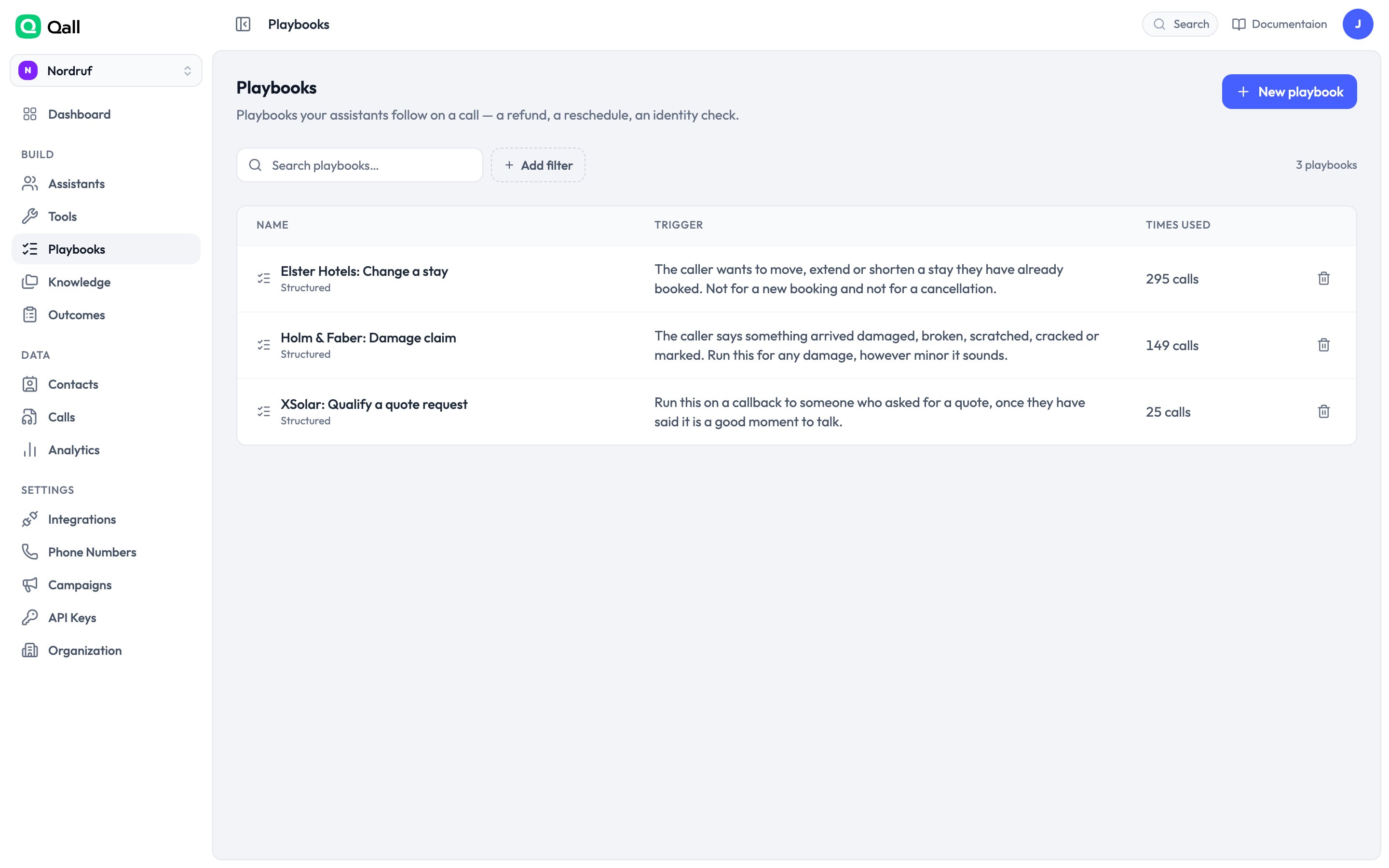
A playbook is a procedure the assistant runs during a call — taking a damage
claim, changing a booking, qualifying a lead. You describe the procedure once, and
the assistant follows it every time instead of improvising.
 ## When to use one
Put it in the **prompt** when the assistant just needs to know something, or when
good judgement is the point.
Use a **playbook** when the order matters, when a step must happen every single
time, or when you want to know where callers drop out.
## Two kinds
You write the procedure as guidance. The assistant follows it, using judgement
about pace and order.
You lay out numbered steps. They run in order, every time.
Pick free-form when a human would describe the job in a paragraph. Pick structured
when they'd describe it as a checklist.
## When it starts
Each playbook has a **trigger** — a description of the situation that should start
it:
```text theme={null}
The caller says something arrived damaged, broken, scratched, cracked or marked.
Run this for any damage, however minor it sounds.
```
The trigger is the only part of a playbook the assistant sees before deciding to
start it, so write it as what the caller says and means, not as what the procedure
does.
A playbook has to be **published** before an assistant will run it. Draft
playbooks are invisible to callers.
## Tools and knowledge inside a playbook
A playbook can carry its own [tools](/tools) and
[knowledge](/knowledge) articles. These are available only while it's
running.
This is the neat part: an assistant with thirty tools picks the wrong one
regularly. Move the refund tool into the refund playbook and it can only be
reached once the caller is actually asking for a refund.
## If the caller goes off-script
They can. A caller who interrupts with a different question gets an answer, and the
assistant picks the procedure back up. One who changes their mind entirely leaves
the playbook.
## Seeing where callers drop out
Every run is recorded, including the ones where the caller hung up halfway — which
are the interesting ones.
In [Analytics](/analytics), chart playbook runs grouped by **stopped at
step** and you get a picture of exactly where people give up.
This documentation is built and hosted on [Mintlify](https://mintlify.com), a developer documentation platform.
## When to use one
Put it in the **prompt** when the assistant just needs to know something, or when
good judgement is the point.
Use a **playbook** when the order matters, when a step must happen every single
time, or when you want to know where callers drop out.
## Two kinds
You write the procedure as guidance. The assistant follows it, using judgement
about pace and order.
You lay out numbered steps. They run in order, every time.
Pick free-form when a human would describe the job in a paragraph. Pick structured
when they'd describe it as a checklist.
## When it starts
Each playbook has a **trigger** — a description of the situation that should start
it:
```text theme={null}
The caller says something arrived damaged, broken, scratched, cracked or marked.
Run this for any damage, however minor it sounds.
```
The trigger is the only part of a playbook the assistant sees before deciding to
start it, so write it as what the caller says and means, not as what the procedure
does.
A playbook has to be **published** before an assistant will run it. Draft
playbooks are invisible to callers.
## Tools and knowledge inside a playbook
A playbook can carry its own [tools](/tools) and
[knowledge](/knowledge) articles. These are available only while it's
running.
This is the neat part: an assistant with thirty tools picks the wrong one
regularly. Move the refund tool into the refund playbook and it can only be
reached once the caller is actually asking for a refund.
## If the caller goes off-script
They can. A caller who interrupts with a different question gets an answer, and the
assistant picks the procedure back up. One who changes their mind entirely leaves
the playbook.
## Seeing where callers drop out
Every run is recorded, including the ones where the caller hung up halfway — which
are the interesting ones.
In [Analytics](/analytics), chart playbook runs grouped by **stopped at
step** and you get a picture of exactly where people give up.
This documentation is built and hosted on [Mintlify](https://mintlify.com), a developer documentation platform.