> ## Documentation Index
> Fetch the complete documentation index at: https://docs.qall.io/llms.txt
> Use this file to discover all available pages before exploring further.
# Outcomes
> What you want recorded from every call.
An outcome is one thing you want to know after every call — did they book, what
were they calling about, do we need to ring them back. The assistant fills it in
when the call ends, and it becomes a field you can filter and chart.
Outcomes are how a thousand calls turn into a number instead of a thousand
transcripts.
## Creating one
| Field | What it does |
| - | - |
| **Name** | What it's called. |
| **Description** | How to decide the value. This is the instruction the assistant follows. |
| **Type** | Yes/no, number, text, or a fixed set of options. |
| **Assistants** | Which assistants record it. |
The description does the work. Be explicit about the edge case:
```text Good theme={null}
True when the caller asked to be called back, or when their question was left
unresolved. False when it was answered in full on this call.
```
```text Too vague theme={null}
Whether follow-up is needed.
```
For a fixed set of options, list the ones you want to count. Keep them few and
clearly different — "resolved", "needs callback", "wrong number" rather than nine
shades of partly.
## Switching one on and off
Assigning an outcome to an assistant is the on switch. An outcome with no
assistants is never recorded.
Each outcome you assign adds a little work after every one of that assistant's
calls, and it's billed. Record what you'll act on, not everything you can think
of.
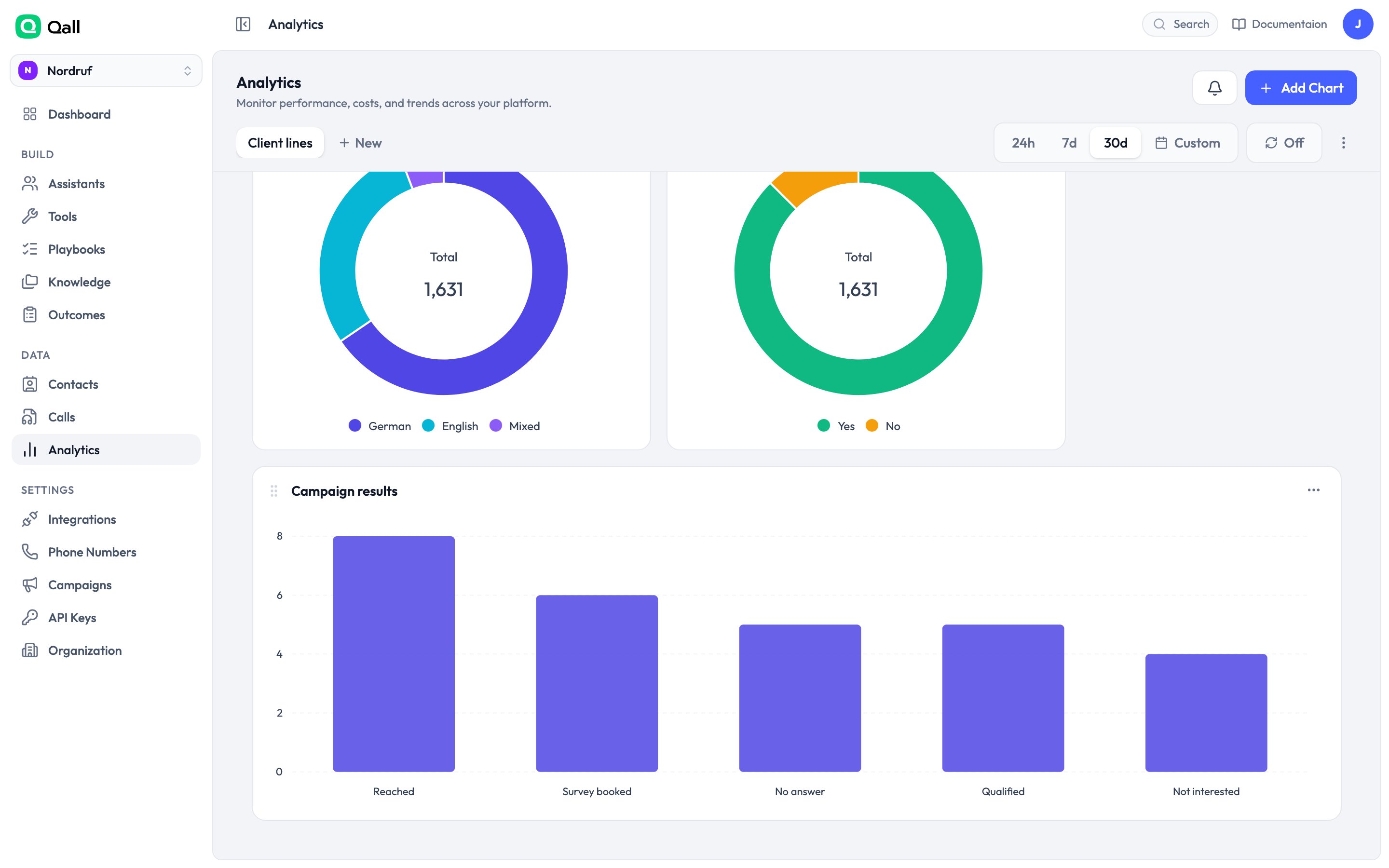
## Seeing the results
Outcomes show on each call, and they're filterable in the calls list.
The better view is [Analytics](/analytics): chart calls grouped by an outcome
and you get the breakdown directly.
 They're also in the [`call.completed`
webhook](/api-reference/webhooks/call-completed), so you can push them to your own
systems as each call ends.
## Renaming
You can rename an outcome whenever you like, and the name updates everywhere it's
displayed. What doesn't change is the key your existing data is stored under —
which is what keeps old calls readable and your saved filters working.
This documentation is built and hosted on [Mintlify](https://mintlify.com), a developer documentation platform.
They're also in the [`call.completed`
webhook](/api-reference/webhooks/call-completed), so you can push them to your own
systems as each call ends.
## Renaming
You can rename an outcome whenever you like, and the name updates everywhere it's
displayed. What doesn't change is the key your existing data is stored under —
which is what keeps old calls readable and your saved filters working.
This documentation is built and hosted on [Mintlify](https://mintlify.com), a developer documentation platform.