> ## Documentation Index
> Fetch the complete documentation index at: https://docs.qall.io/llms.txt
> Use this file to discover all available pages before exploring further.
# Knowledge
> Documents your assistant can answer from.
Upload your price list, opening hours or policies, attach them to an assistant,
and it can answer from them — without you pasting everything into the prompt.
 ## Adding a document
**Upload a file.** PDF, Word, PowerPoint, Excel, text, Markdown, HTML, CSV, JSON,
XML, EPUB and images. Up to 10 MB each.
**Or write one.** Create an article and write it in the browser. Easiest for
things that change often, like opening hours or this week's offers.
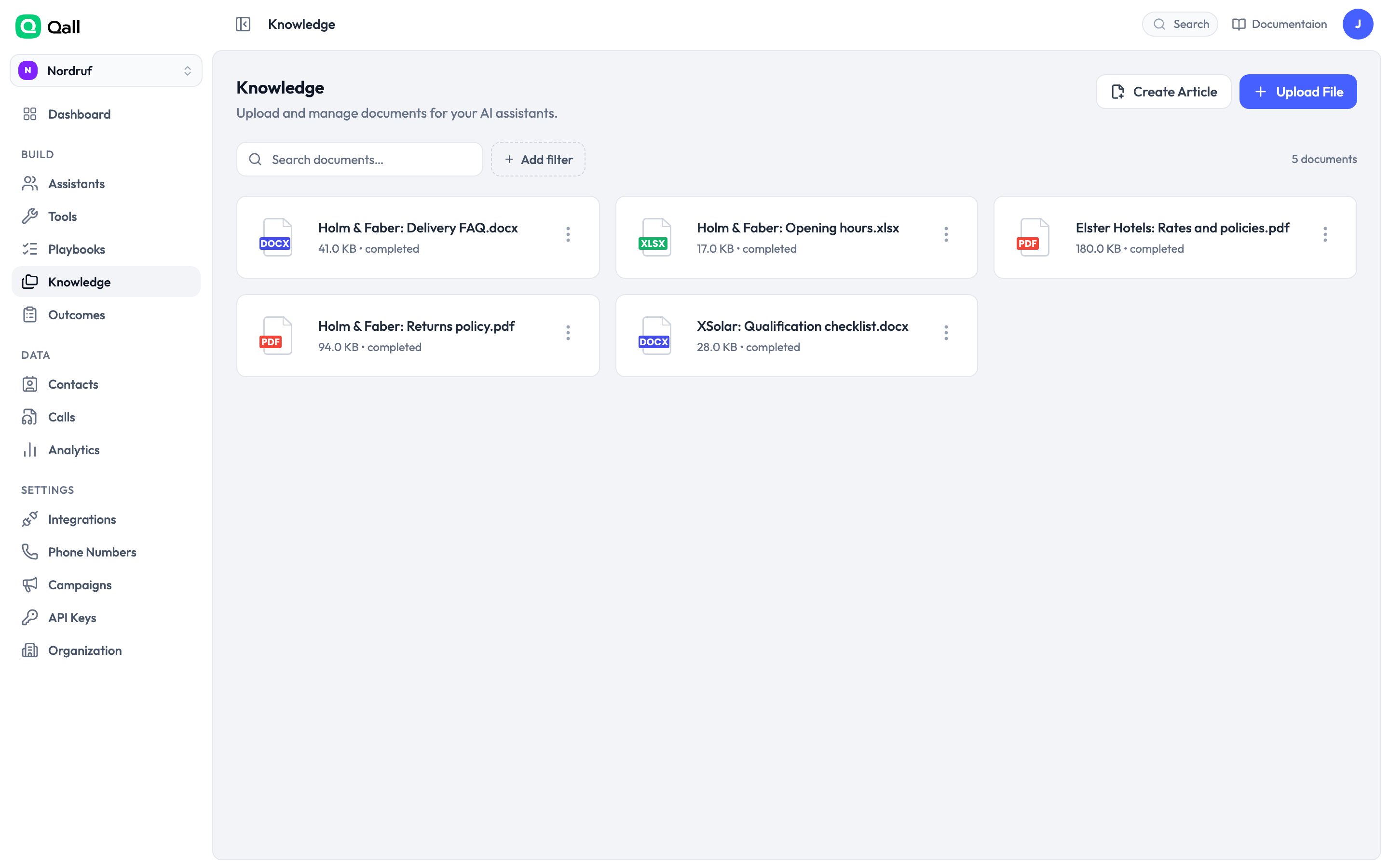
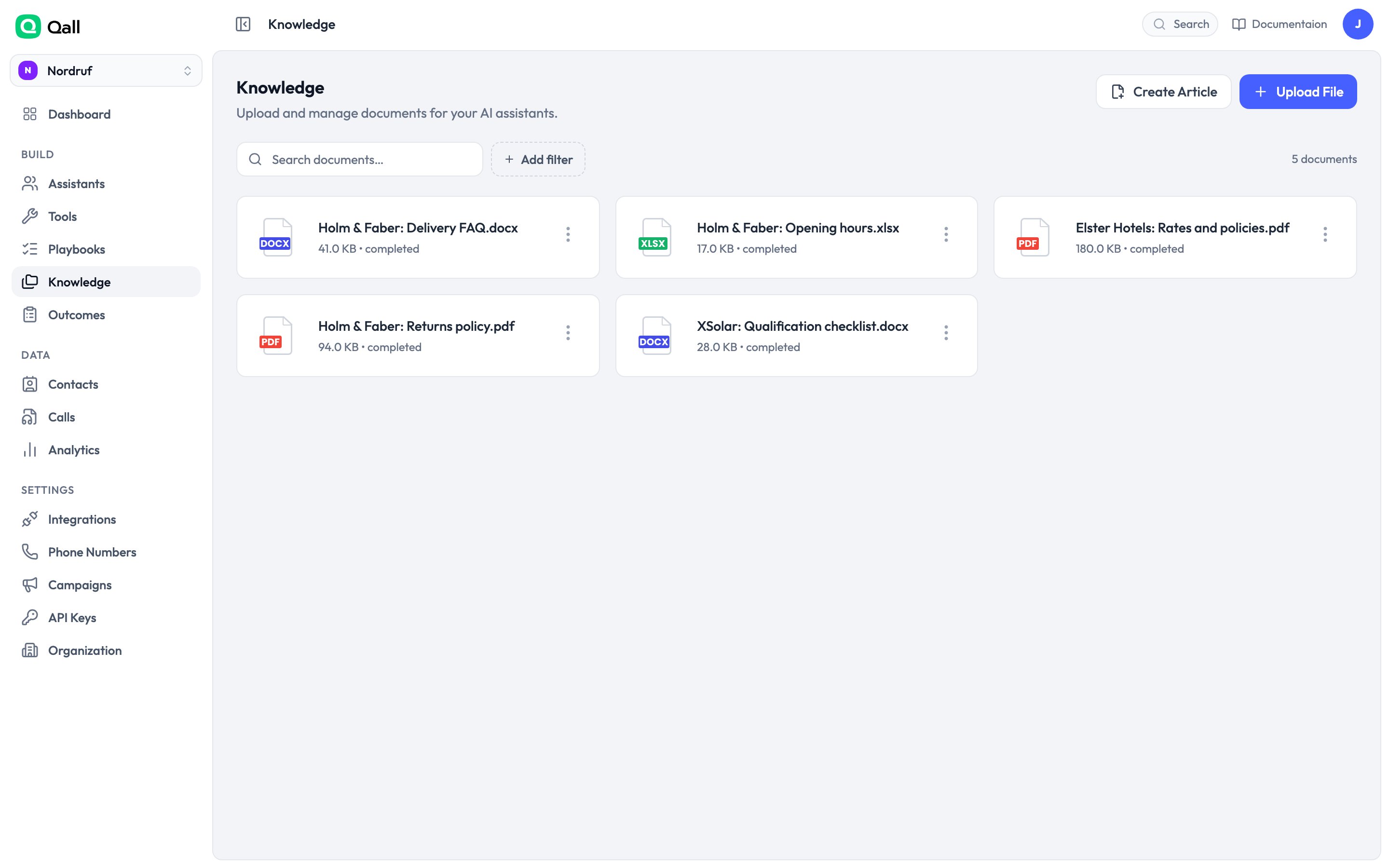
Either way the document is converted to text and indexed. That takes a moment —
it's ready when it shows as **completed**.
Check an uploaded PDF after it processes. What the converter extracts is all the
assistant will ever see, and complex layouts don't always survive. For anything
important, an article you've written yourself beats a PDF you haven't read.
## Attaching it to an assistant
Attach documents from the assistant's page. Each one gets a mode:
| Mode | What happens | Use it for |
| - | - | - |
| **Search** | Looked up when relevant. | Nearly everything. |
| **Always in the prompt** | The whole document is in context on every call. | One short, always-relevant document. |
| **Both** | In the prompt and searchable. | Rare. |
Default to **search**. "Always in the prompt" costs tokens on every turn of every
call whether it's relevant or not, and the assistant has a limited amount of
attention to spend.
## Adding a document
**Upload a file.** PDF, Word, PowerPoint, Excel, text, Markdown, HTML, CSV, JSON,
XML, EPUB and images. Up to 10 MB each.
**Or write one.** Create an article and write it in the browser. Easiest for
things that change often, like opening hours or this week's offers.
Either way the document is converted to text and indexed. That takes a moment —
it's ready when it shows as **completed**.
Check an uploaded PDF after it processes. What the converter extracts is all the
assistant will ever see, and complex layouts don't always survive. For anything
important, an article you've written yourself beats a PDF you haven't read.
## Attaching it to an assistant
Attach documents from the assistant's page. Each one gets a mode:
| Mode | What happens | Use it for |
| - | - | - |
| **Search** | Looked up when relevant. | Nearly everything. |
| **Always in the prompt** | The whole document is in context on every call. | One short, always-relevant document. |
| **Both** | In the prompt and searchable. | Rare. |
Default to **search**. "Always in the prompt" costs tokens on every turn of every
call whether it's relevant or not, and the assistant has a limited amount of
attention to spend.
 ## How search works
Search combines two things: meaning, so "how much to park" finds a document about
parking charges; and exact words, so a product code or a street name matches even
when nothing is phrased the same way.
The exact-word half is tuned for English. On German, Dutch or French documents it
still matches whole words, but not different forms of the same word — searching
*Rechnung* won't match *Rechnungen*. Meaning-based search covers most of the gap.
If an important term is being missed, add it to the article in the forms callers
actually use.
Each search returns the three most relevant passages. The assistant only sees
passages that clear a relevance bar, so a question your documents don't answer
returns nothing rather than the closest thing.
## Writing documents the assistant can use
**Headings and short sections.** Documents are split into passages, and a passage
that covers one topic is a passage that gets found.
**Spell out what callers say.** If people ring about "the parking thing", the
phrase "parking" should appear, not just "vehicular access charges".
**Keep one topic per document.** Three short documents beat one long one.
**Update rather than duplicate.** Editing an article re-indexes it. Two documents
that disagree make the assistant pick one, and you can't predict which.
## Finding documents
The knowledge list shows each document's state and lets you search by name. Open
any document to read what was extracted — which is what the assistant sees, and
worth checking after a complex upload.
## Inside a playbook
A [playbook](/playbooks) can hold its own articles, which stay in mind for
the whole procedure and then drop away. Useful for terms and conditions the
assistant should have during a refund and never otherwise.
This documentation is built and hosted on [Mintlify](https://mintlify.com), a developer documentation platform.
## How search works
Search combines two things: meaning, so "how much to park" finds a document about
parking charges; and exact words, so a product code or a street name matches even
when nothing is phrased the same way.
The exact-word half is tuned for English. On German, Dutch or French documents it
still matches whole words, but not different forms of the same word — searching
*Rechnung* won't match *Rechnungen*. Meaning-based search covers most of the gap.
If an important term is being missed, add it to the article in the forms callers
actually use.
Each search returns the three most relevant passages. The assistant only sees
passages that clear a relevance bar, so a question your documents don't answer
returns nothing rather than the closest thing.
## Writing documents the assistant can use
**Headings and short sections.** Documents are split into passages, and a passage
that covers one topic is a passage that gets found.
**Spell out what callers say.** If people ring about "the parking thing", the
phrase "parking" should appear, not just "vehicular access charges".
**Keep one topic per document.** Three short documents beat one long one.
**Update rather than duplicate.** Editing an article re-indexes it. Two documents
that disagree make the assistant pick one, and you can't predict which.
## Finding documents
The knowledge list shows each document's state and lets you search by name. Open
any document to read what was extracted — which is what the assistant sees, and
worth checking after a complex upload.
## Inside a playbook
A [playbook](/playbooks) can hold its own articles, which stay in mind for
the whole procedure and then drop away. Useful for terms and conditions the
assistant should have during a refund and never otherwise.
This documentation is built and hosted on [Mintlify](https://mintlify.com), a developer documentation platform.