> ## Documentation Index
> Fetch the complete documentation index at: https://docs.qall.io/llms.txt
> Use this file to discover all available pages before exploring further.
# Contacts
> The people your assistants talk to.
Qall keeps one record per person. Someone who rings twice is the same contact both
times, so the second call can greet them by name.
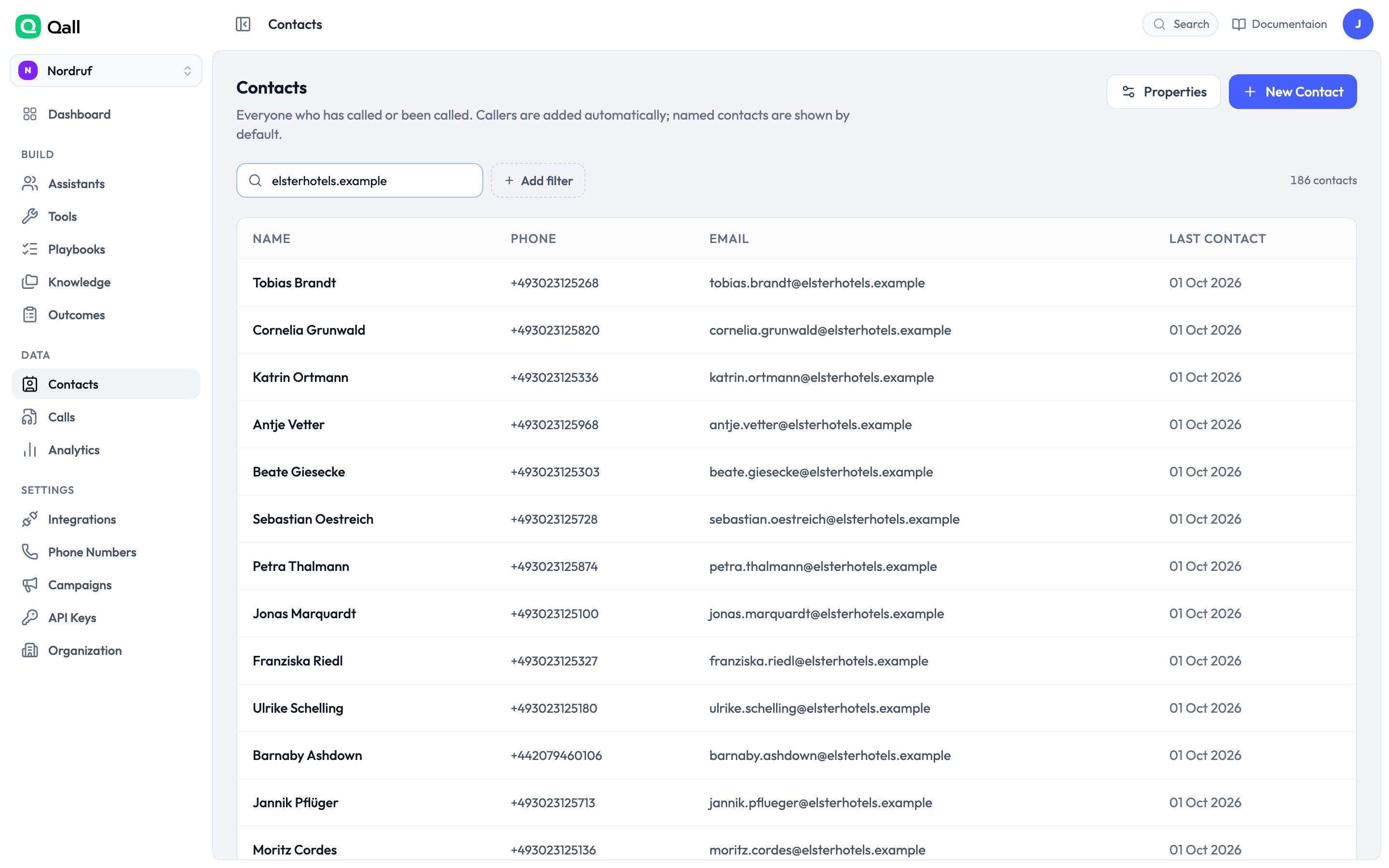 Contacts are created automatically from inbound calls, imported with a
[campaign](/campaigns), or added by hand.
## Matching
People are matched on phone number and email address, each unique within your
organisation. Numbers are tidied up before matching, so `030 111 111` typed into a
spreadsheet finds the contact created from an inbound call.
A caller nobody has named yet is hidden from the list by default — otherwise the
page fills with bare phone numbers. Turn that filter off to see them.
## Properties
Every contact has a name, phone number, email and timezone.
Add your own properties for anything else you want to keep — customer tier,
account number, renewal date. Each has a type, so a date property can't end up
holding "next Tuesday".
| Type | |
| - | - |
| Text, Number, Yes/no | |
| Choice, Multiple choice | You define the options |
| Date, Date and time | |
| Phone, Email | Tidied up the same way the built-in fields are |
You can rename a property whenever you like. You can't change its type once it
holds data.
## Using contact details on a call
Anything on a contact is available to the assistant as a
[variable](/variables):
```text theme={null}
The caller is {{contact.first_name | "a new guest"}}.
Their account tier is {{contact.tier}}.
```
Contact details are treated as untrusted text, because somebody typed them in.
They're cleaned before being used, so a contact record can't carry instructions
into your assistant's prompt.
## In campaigns
A contact in a [campaign](/campaigns) also shows its dialling state —
whether it's waiting, in progress, reached or closed — and how many attempts
there've been.
A contact can be in one campaign at a time.
## Deleting someone
Deleting a contact removes the person. Their calls stay, with the link to them
dropped — so your history and billing stay intact while the personal details go.
This documentation is built and hosted on [Mintlify](https://mintlify.com), a developer documentation platform.
Contacts are created automatically from inbound calls, imported with a
[campaign](/campaigns), or added by hand.
## Matching
People are matched on phone number and email address, each unique within your
organisation. Numbers are tidied up before matching, so `030 111 111` typed into a
spreadsheet finds the contact created from an inbound call.
A caller nobody has named yet is hidden from the list by default — otherwise the
page fills with bare phone numbers. Turn that filter off to see them.
## Properties
Every contact has a name, phone number, email and timezone.
Add your own properties for anything else you want to keep — customer tier,
account number, renewal date. Each has a type, so a date property can't end up
holding "next Tuesday".
| Type | |
| - | - |
| Text, Number, Yes/no | |
| Choice, Multiple choice | You define the options |
| Date, Date and time | |
| Phone, Email | Tidied up the same way the built-in fields are |
You can rename a property whenever you like. You can't change its type once it
holds data.
## Using contact details on a call
Anything on a contact is available to the assistant as a
[variable](/variables):
```text theme={null}
The caller is {{contact.first_name | "a new guest"}}.
Their account tier is {{contact.tier}}.
```
Contact details are treated as untrusted text, because somebody typed them in.
They're cleaned before being used, so a contact record can't carry instructions
into your assistant's prompt.
## In campaigns
A contact in a [campaign](/campaigns) also shows its dialling state —
whether it's waiting, in progress, reached or closed — and how many attempts
there've been.
A contact can be in one campaign at a time.
## Deleting someone
Deleting a contact removes the person. Their calls stay, with the link to them
dropped — so your history and billing stay intact while the personal details go.
This documentation is built and hosted on [Mintlify](https://mintlify.com), a developer documentation platform.